Data
Before you start.
- You need a case with a Request.
- The datasets must already exist in the collection. Submit the file from Source → Submit to API test, then check the Datasets tab.
- Permission: View Dataset to see datasets, Update Dataset to change them (Permissions).
The Data tab
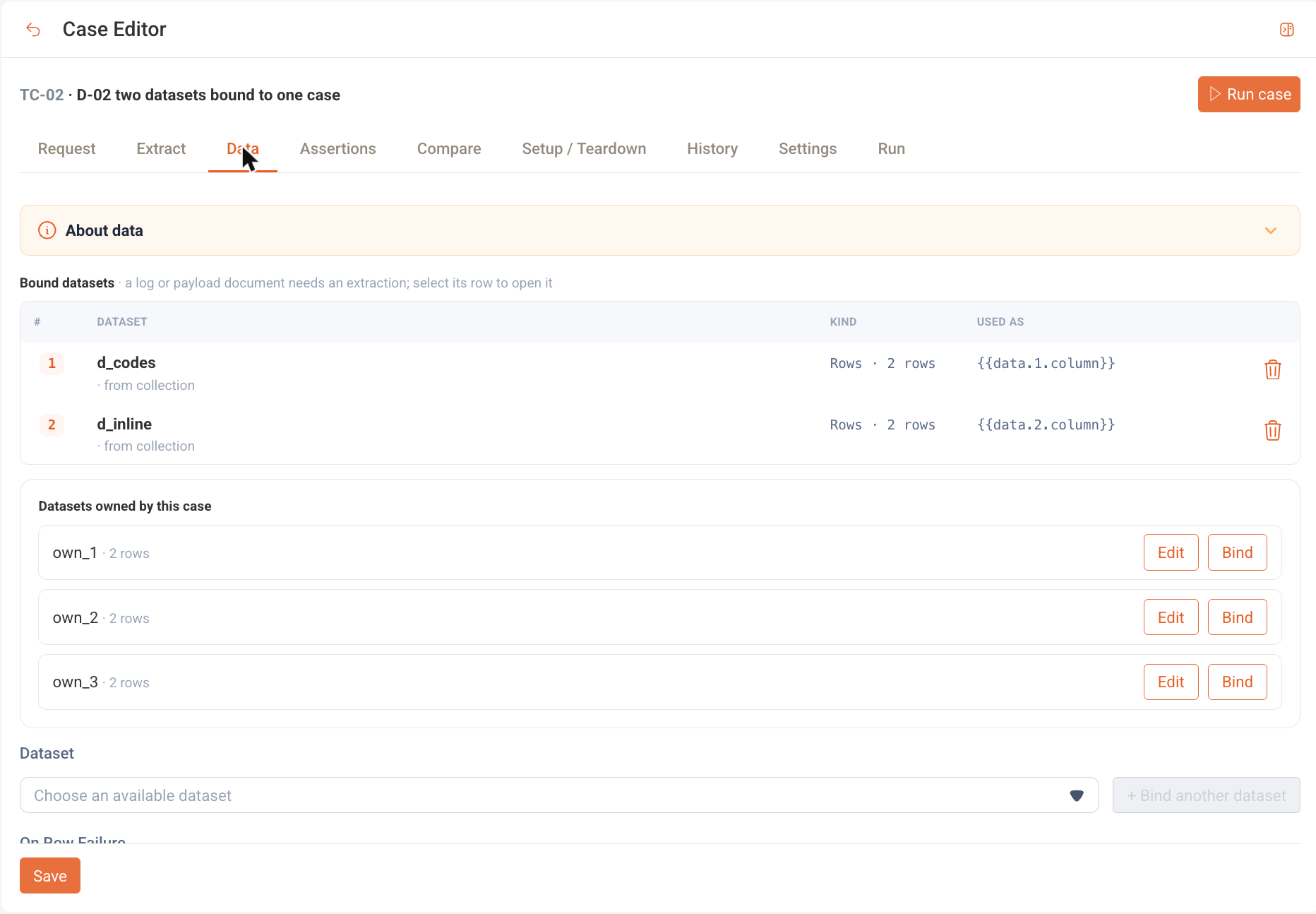
Case TC-02 with two bound datasets: # / Dataset ("from collection") / Kind ("Rows · 2 rows") / Used as table; and the "Datasets owned by this case" box (own_1…own_3, Edit and Bind buttons).
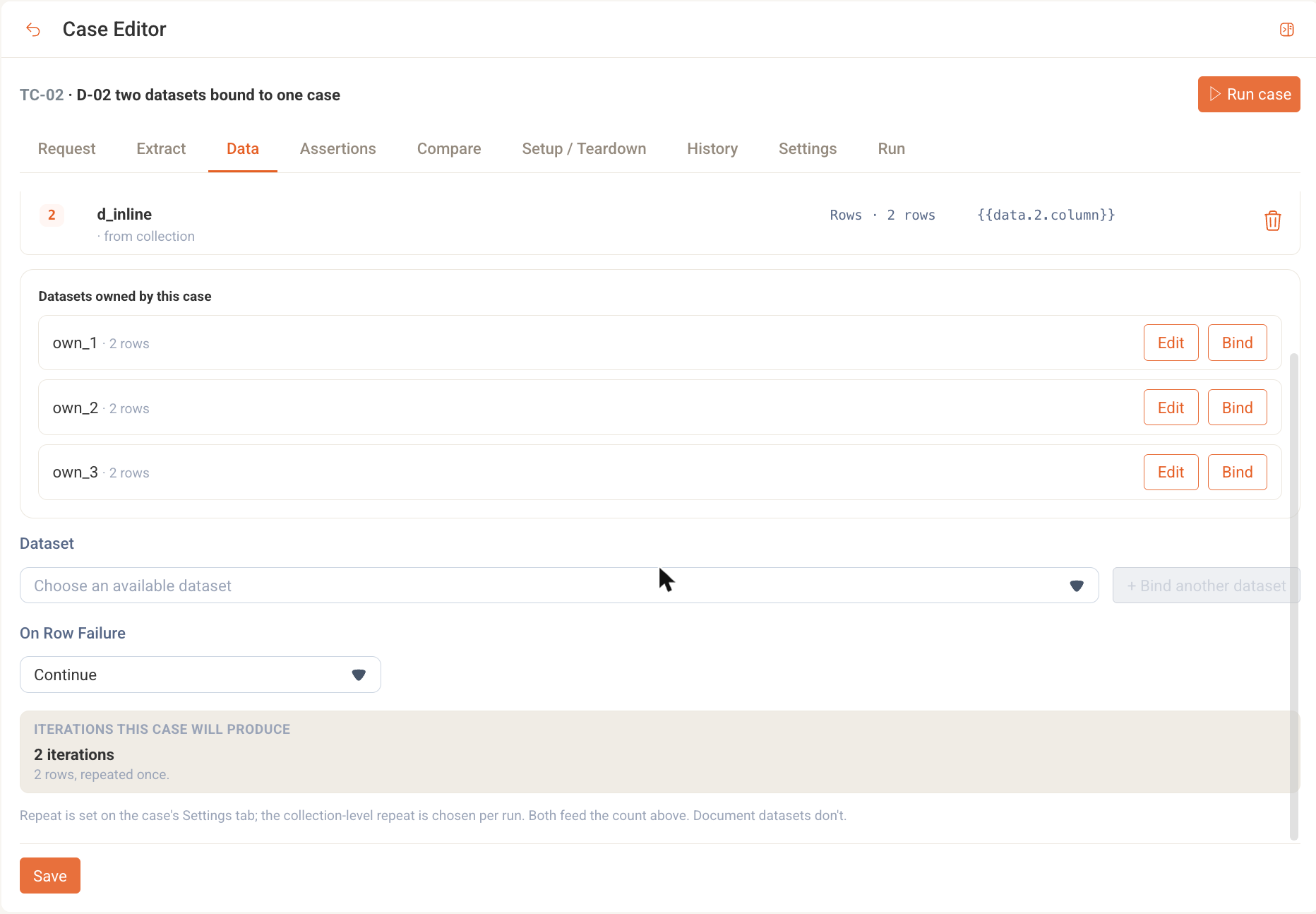
Bottom: Dataset (select), + Bind another dataset, On Row Failure, and "ITERATIONS THIS CASE WILL PRODUCE: 2 iterations — 2 rows, repeated once".
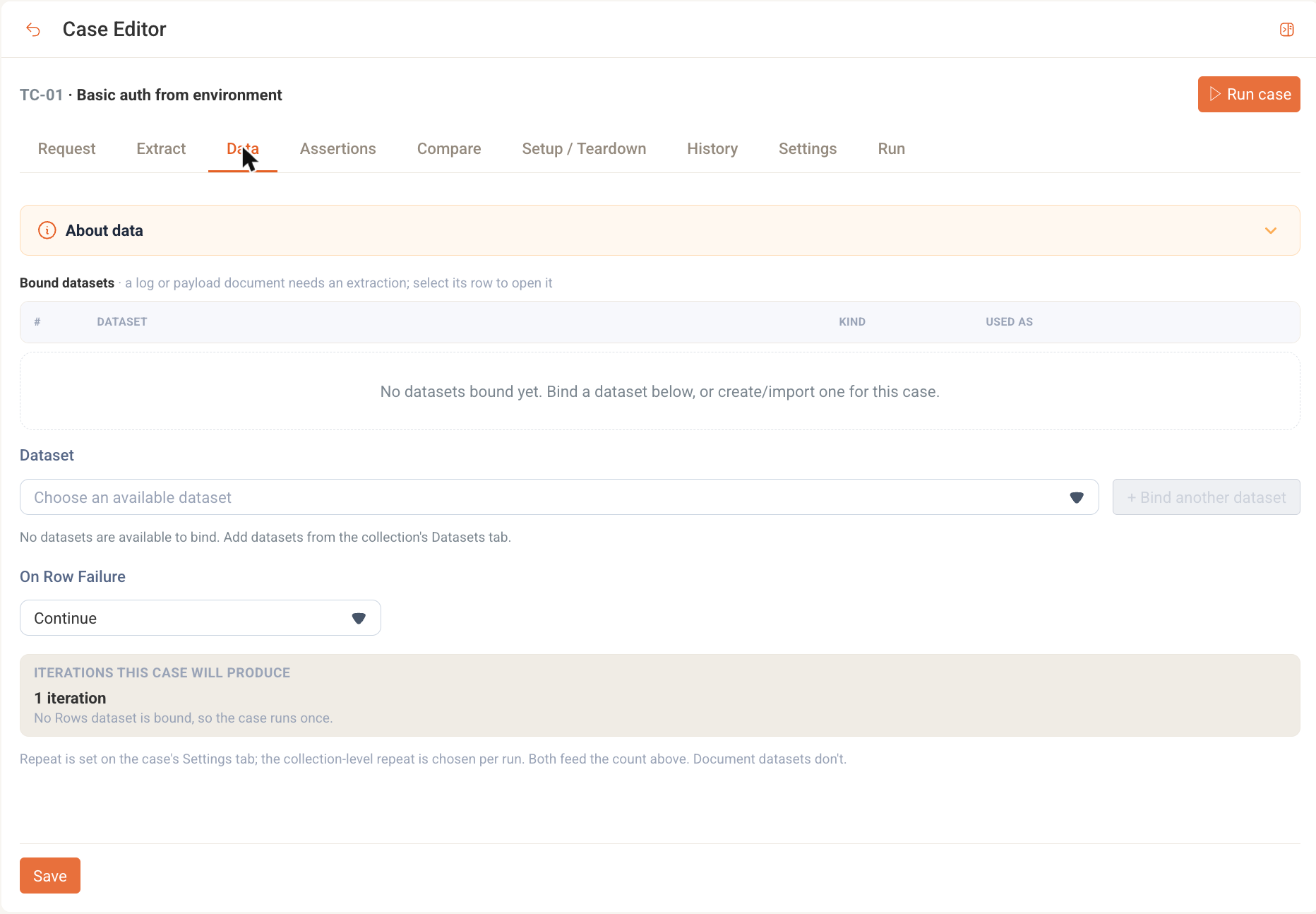
Data tab without datasets: Bound datasets, Dataset (Choose an available…), + Bind another dataset, On Row Failure and ITERATIONS THIS CASE WILL PRODUCE ("1 iteration").
Purpose: connect datasets to the case (data-driven) and configure capture extraction from log documents.
| Element | Source / options | Function & result |
|---|---|---|
| "Bound datasets" table: #, Dataset, Kind, Used as | Automatic | The bound datasets. Rows: 1 iteration per row, read as {{data.1.column}}. Document: read through extraction into {{doc.name}}. "Reference only" = used as a reference (e.g. a layout). |
| Dataset (select) + + Bind another dataset | "Choose an available…" (name · n rows); when empty: "No datasets are available to bind. Add datasets from the collection's Datasets tab." | Adds a binding. A bound dataset cannot be deleted from the Datasets tab. |
| On Row Failure | Continue / Stop | If one row fails: continue with the next row, or stop the iterations. |
| "Datasets owned by this case" box (own_1, own_2…, Edit and Bind buttons) | Datasets owned by this case | Datasets created specifically for the case; Edit changes the content, Bind binds it as a data source. Marked "from collection" when it comes from the collection's Datasets tab. |
| Make available to all | Case-owned dataset | Promotes a case-owned dataset to a collection dataset (usable by other cases). |
| Unbind dataset | — | Removes the binding. |
| Dataset availability | Automatic | Summary: available to all cases or only this case. |
| Iterations this case will produce | Automatic | Computes the iteration count from datasets & repeat. "Execution plan for each pass" explains the order setup → request → teardown. |
| Unsaved binding changes / Binding errors | Automatic | Warning of unsaved changes / binding errors (e.g. SOURCE_FILE_UNAVAILABLE). |
Extraction for Document (log) datasets
Buttons Show extraction / Hide extraction. Only .log/.txt can be extracted (EXTRACTION_KIND_UNSUPPORTED). Each capture finds one entry in the log and saves its value as {{doc.name}}.
| Element | Source / options | Function & result |
|---|---|---|
| File is | Plain text, Gzip-compressed (.gz), Base64 text | How the file is decoded before reading. |
| Character set | Charset list | Text character encoding. |
| One log entry is | One line / Several lines… | One entry = one line, or several lines starting with a pattern. |
| Entry starts with (regex) | You enter, for example ^my-service | Start pattern of a multi-line entry. |
| + Add capture | — | Adds a capture rule. |
| Save as | You enter (capture_1) | Variable name; read as {{doc.name}}. |
| Entry contains | You enter ({{run.x}} allowed) | Text that identifies the entry, e.g. PROVIDER_REQUEST. |
| If several match | Must be only one, Use the first, Use the last, Use all (multiblock) | When many entries match. "Use all" is for multiblock calls. |
| If null or missing | Save as null / Block the case | When the entry is found but its JSON field is null/missing. An entry that is not found always blocks. |
| Read value as | JSON field, Text between, Pattern | How the value is read from the entry. |
| Where | A JSON field; or "Starts after" + "Ends before (blank = end)"; or a regex pattern with one group ( ) | Location of the value inside the entry. |
| On the sample / Try captures on sample | Optional: Paste sample text | Tries the captures on a sample log (dataset or pasted text) without running. The result appears in the "Capture result" panel. |
| Remove | — | Deletes the capture. |
Case-owned datasets
A dataset can be created and edited inside one case instead of the collection Datasets tab.
| Element | Function & result |
|---|---|
| Availability labels | Available to all test cases (created in Collection Details, bound here) or Available to one test case (created here, edited in this tab). |
| Dataset editor: Dataset name, + Add column, + Add row, Save dataset, Cancel | A small table editor. "Add a column to start entering rows." Names must be identifiers. Save dataset stores it for this case. |
Datasets owned by this case
Below the bound datasets table, the Data tab can show a panel titled Datasets owned by this case. It lists datasets that belong to this case but are not bound to it right now, each with its name and row count (for example own_1 · 2 rows). The panel appears only when the case owns at least one unbound dataset.
| Button | What it does |
|---|---|
| Edit | Opens an inline editor below the panel, titled "Edit own_1" with a yellow this test case only badge. It shows the dataset name, the row and column counts (for example "2 rows · 1 columns · inline"), an editable table, + Add column, + Add row, Save dataset and Cancel. It is shown only if your role can update datasets. Cancel closes it without changing anything. |
| Bind | Adds the dataset as the next row of the bound datasets table (for example #3 with {{data.3.column}}), marked "this case only". A green notice says "own_1 selected and bound to this case. Save to apply.", the Data tab gets an orange dot, and the footer shows "Unsaved binding changes" next to Discard changes. The binding is only stored when you click Save; Discard changes restores the earlier list. |
A dataset bound this way shows Edit and Make available to all links under its name, and it leaves the "owned by this case" panel while it is bound.
Make available to all takes effect at once, without clicking Save, and it asks no confirmation. A green notice says "own_1 (TC-13) is now available to all test cases." The dataset becomes a normal collection dataset: its row shows "from collection" instead of "this case only", the Edit and Make available links disappear, and it stays in the collection (Datasets tab) even if the case is deleted or you click Discard changes. Discarding does not put it back in the "owned by this case" panel. Delete it from the Datasets tab if you do not want it.
Duplicating a case copies its owned datasets under new names such as own_1 (TC-13). Copy to collection can be refused with IMPORT_REFERENCE_UNRESOLVED ("Map dataset ... to a dataset of this collection that is available to all cases") when the case also uses collection-wide datasets that the target collection does not have. Binding is limited by the same maximum number of bound datasets per case as + Bind another dataset. Bound datasets are zipped row for row, so their row counts must match.
Row-count rules:
- Binding a dataset with a different row count is refused. Choosing a 3-row dataset next to two 2-row datasets and clicking + Bind another dataset binds nothing and shows: "dataset_name selected, but it was not bound: its row count (3) differs from the bound datasets (2, 2). Row counts must match (DATASET_ROW_COUNT_MISMATCH)." (The notice uses the same green style as a success message, so read it.)
- Editing a bound dataset into a mismatch is caught at Save. Adding a third row to a bound owned dataset and clicking Save dataset saves the dataset at once, and the bound table shows "3 rows". Clicking Save on the case is then refused with a red "Binding errors" panel: "Bound datasets are read row-for-row and must have the same row count: dataset_a (2), dataset_b (2), dataset_c (3)". Until you save, the "Iterations this case will produce" box still shows the old count.
- Discard changes restores the earlier bindings, but the dataset edit stays saved: the dataset keeps its new row count in the "owned by this case" panel. Edit it back to match before binding it again.
Captures editor: empty state and sample text
- A Document dataset with no captures shows "No captures yet. Add one to read values from the log." Use + Add capture. Each capture finds one entry in the log and saves a value from it as
{{doc.name}}. - Try captures on sample runs the captures on the sample text. Paste sample text reveals a box where you can paste log text; use it to test captures without a stored file. The result opens in a "Capture result" panel that you can close with its ✕ button.
- Only .log and .txt documents can be extracted; other kinds report
EXTRACTION_KIND_UNSUPPORTED.
